How Does OCuLink Lane Splitting Turn One 8 Lane Port Into Two x4 Links
As PCIe 5.0 platforms increase both lane counts and per lane bandwidth, system designers are under pressure to use available PCIe resources more efficiently. In many servers and dense computing systems, the limitation is not total lane availability but physical connector count and chassis space. OCuLink lane splitting addresses this issue by allowing a single 8 lane OCuLink port to be divided into two independent x4 PCIe links while preserving native PCIe behavior.
The Role of PCIe Bifurcation
OCuLink lane splitting is made possible by PCIe bifurcation at the host level. An OCuLink 8 lane port carries eight PCIe lanes from the CPU or chipset. When bifurcation is enabled in firmware, the host logically separates those lanes into two groups of four.
Each group of four lanes is treated as a distinct PCIe interface by the root complex. From a logical standpoint, the system no longer sees one x8 link but two x4 links, each capable of independent speed negotiation and device enumeration.
How The Breakout Cable Enables Physical Separation
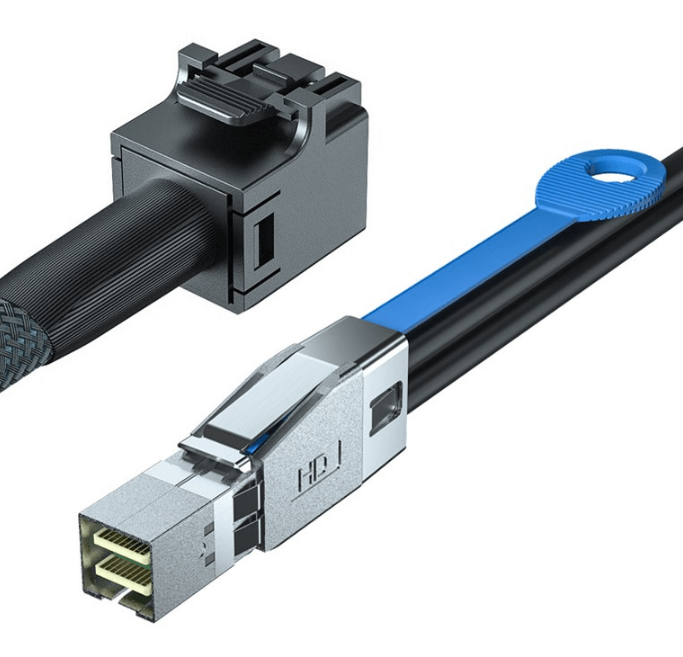
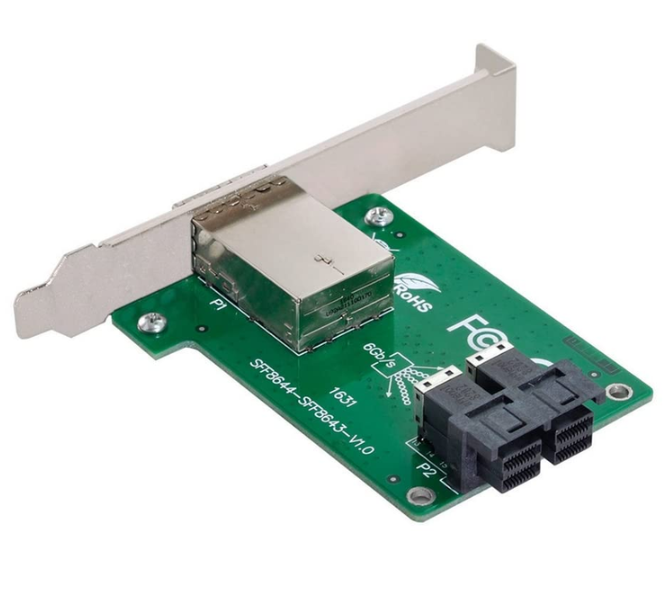
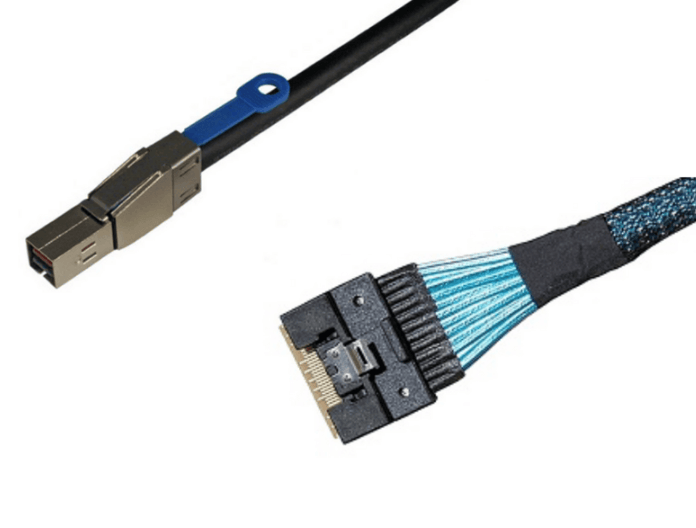
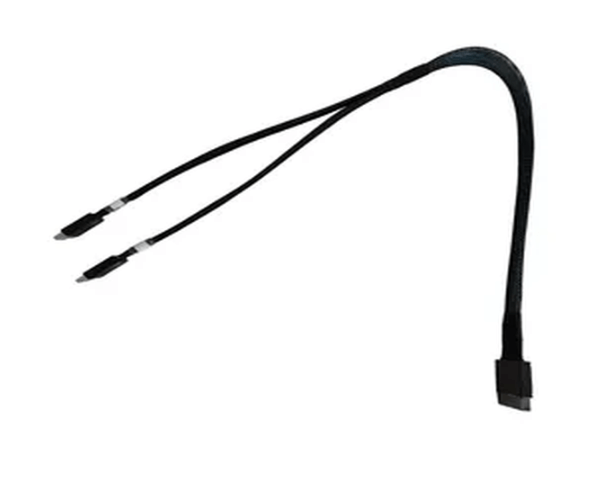
While bifurcation handles the logical separation, the physical routing of lanes is performed by an OCuLink breakout cable. The cable maps lanes 0 through 3 to one downstream connector and lanes 4 through 7 to a second connector.
A properly engineered breakout cable maintains correct lane order, polarity, and impedance for each differential pair. This ensures that both x4 links meet PCIe electrical requirements and behave as native point to point connections rather than shared or duplicated signals.
Independent Link Training and Enumeration
Once lane splitting is configured and the breakout cable is installed, each x4 link trains independently during system initialization. Speed, width, and equalization are negotiated separately for each connection based on host and device capabilities.
The operating system then enumerates each downstream device as a separate PCIe endpoint. There is no shared bandwidth or arbitration between the two links, since each uses dedicated lanes directly connected to the host.
Why x4 Links are Sufficient for Many Devices
With PCIe 5.0, an x4 link provides substantial bandwidth that is sufficient for most NVMe drives, storage backplanes, and many accelerators. In these cases, allocating a full x8 link offers little practical performance benefit.
By splitting an 8 lane port into two x4 links, designers can connect more devices directly to the CPU without adding PCIe switches or additional host adapters. This improves overall lane utilization and simplifies system architecture.
Platform and Firmware Requirements
Successful OCuLink lane splitting depends on platform support. The CPU, chipset, and firmware must allow the OCuLink port to be configured as x4 plus x4. Without this capability, the host will continue to present the port as a single x8 interface.
Firmware configuration is typically required before devices are installed. If bifurcation is not correctly enabled, devices may fail to enumerate or may link at incorrect widths.
Common Use Cases for OCuLink Lane Splitting
OCuLink lane splitting is commonly used in the following environments:
-
Storage dense servers connecting multiple x4 NVMe devices
-
Edge and embedded platforms with limited expansion space
-
Compact compute nodes where PCIe switches are undesirable
-
Test and validation systems requiring flexible PCIe topology
These applications benefit from direct CPU connectivity and predictable PCIe behavior.
When Lane Splitting is not Appropriate
Lane splitting is not suitable when a downstream device requires a full x8 link or when the host platform does not support PCIe bifurcation. In those cases, a native x8 connection or a PCIe switch may be required to meet performance or compatibility requirements.
Best Practices for Deployment
Before deployment, system designers should confirm bifurcation support in platform documentation and validate firmware settings. At PCIe 5.0 speeds, careful cable routing and adherence to bend radius guidelines help maintain signal integrity.
Testing under load is recommended to verify stable link training and sustained performance for both x4 connections.
FAQ (Frequently Asked Questions)
Is OCuLink lane splitting the same as signal splitting?
No. Lane splitting relies on host supported PCIe bifurcation. Each x4 link is a true PCIe connection with dedicated lanes.
Can both x4 links operate at PCIe 5.0 speeds simultaneously?
Yes. If the host and devices support PCIe 5.0, both links can negotiate and operate independently at full speed.
Does lane splitting introduce additional latency?
No. There is no active switching or retiming involved, so latency remains equivalent to a native PCIe connection.
What happens if bifurcation is not supported by the host?
Devices may not be detected or may operate at incorrect link widths, which is why compatibility must be verified in advance.