When Is An OCuLink 8x To Dual 4x Breakout Preferred Over A PCIe Switch
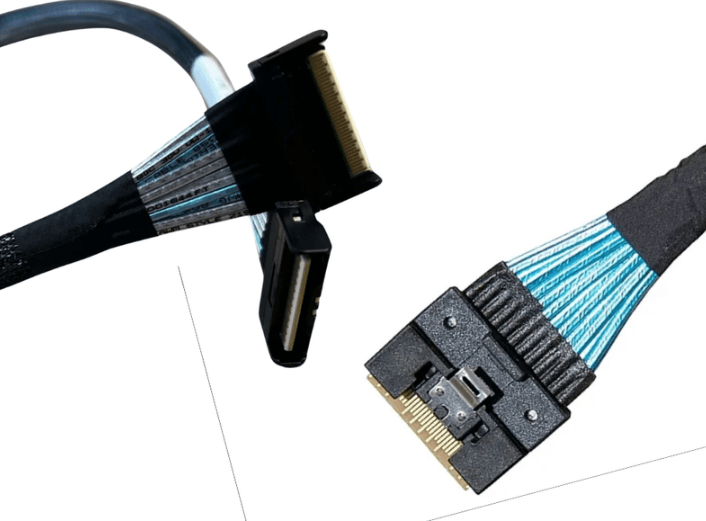
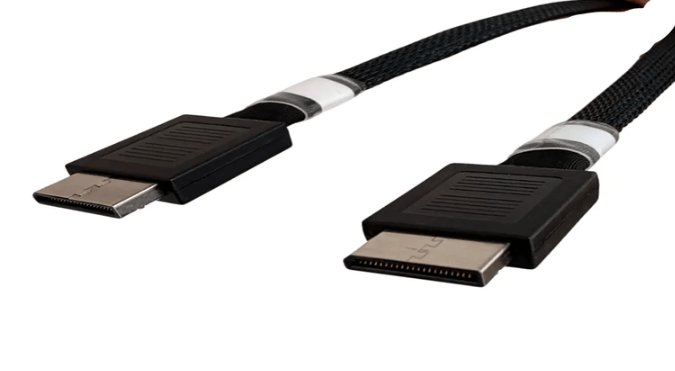
High density PCIe 5.0 platforms often face a mismatch between available CPU lanes and physical port count. While PCIe switches can expand connectivity, they add cost, latency, and design complexity. An OCuLink 8x to dual 4x breakout cable provides a direct alternative by dividing a single x8 host port into two independent x4 links, enabling efficient device expansion while preserving native PCIe signaling and simplified system architectures.
Direct Lane Allocation Versus Switched Architectures
A PCIe switch aggregates upstream lanes and dynamically distributes bandwidth to multiple downstream devices. This approach is useful when many endpoints must share limited host connectivity, but it introduces an additional protocol layer into the data path.
In contrast, an OCuLink breakout maintains direct point to point connections between the CPU or host controller and each device. Each x4 link operates independently, with dedicated lanes and no shared switching fabric. When only two x4 endpoints are required, a breakout cable often provides a cleaner and more predictable solution.
Bandwidth Alignment with Device Requirements
Many modern peripherals do not require more than a PCIe x4 interface to reach peak performance. NVMe SSDs, accelerators, and embedded modules frequently saturate well below the capacity of an x8 link, even at PCIe 5.0 speeds.
Using an OCuLink 8x to dual 4x breakout allows system designers to align lane allocation with real device needs. This prevents over provisioning while maximizing utilization of available CPU lanes without resorting to switched topologies.
Latency and Determinism Considerations
PCIe switches introduce additional hop latency and internal arbitration. While this overhead is small, it can be undesirable in latency sensitive workloads such as high performance storage, real time processing, or validation environments.
A breakout cable avoids these effects entirely. Each device communicates directly with the host, resulting in deterministic latency and simplified performance modeling. For systems where predictability matters more than port fan out, this is a significant advantage.
Cost, Power, and Thermal Tradeoffs
PCIe switches add material cost, consume power, and contribute to thermal load inside dense enclosures. They also increase board complexity and may require firmware configuration or management features.
OCuLink breakout cables eliminate these factors. They require no active components, generate no heat, and integrate cleanly into compact designs. This makes them especially attractive for edge systems, short depth servers, and storage nodes where space and power budgets are constrained.
Platform and Firmware Prerequisites
A breakout solution depends on host support for lane bifurcation. The CPU, chipset, and firmware must allow an x8 OCuLink port to be configured as two x4 links. Without proper bifurcation support, connected devices may not enumerate correctly.
By contrast, PCIe switches abstract this requirement by presenting a single upstream interface to the host. When bifurcation is unavailable or impractical, a switch may still be necessary.
Typical Use Cases Favoring Breakout Cables
OCuLink 8x to dual 4x breakouts are commonly preferred in the following scenarios:
-
NVMe storage servers connecting two x4 backplanes from a single host port
-
Compute nodes where minimal latency is required
-
Embedded or edge platforms with limited board space
-
Validation and test environments needing flexible PCIe topology
In these cases, the simplicity and efficiency of a breakout cable outweigh the flexibility of a switched design.
Best Practices for PCIe 5.0 Breakout Deployments
At PCIe 5.0 data rates, signal integrity is critical. Breakout cables should be purpose built for high speed operation, with controlled impedance and tight lane matching. Shorter cable lengths provide better margin and reduce sensitivity to routing constraints.
System builders should validate bifurcation settings in firmware, confirm device compatibility, and test under full load conditions before large scale deployment.
FAQ (Frequently Asked Questions)
When is a breakout cable better than a PCIe switch?
When only two x4 devices are required and the host supports bifurcation, a breakout cable avoids switch cost, latency, and power overhead.
Do both x4 links operate independently?
Yes, each connection is a dedicated x4 PCIe link with its own bandwidth and enumeration.
Is this approach compatible with PCIe 4.0 or 3.0 devices?
Yes, links will negotiate to the highest PCIe generation supported by both the host and connected device.
Are there cable length limits at PCIe 5.0 speeds?
Yes, shorter lengths provide better signal integrity, which is why defined lengths such as 0.5 m or 1 m are commonly used.