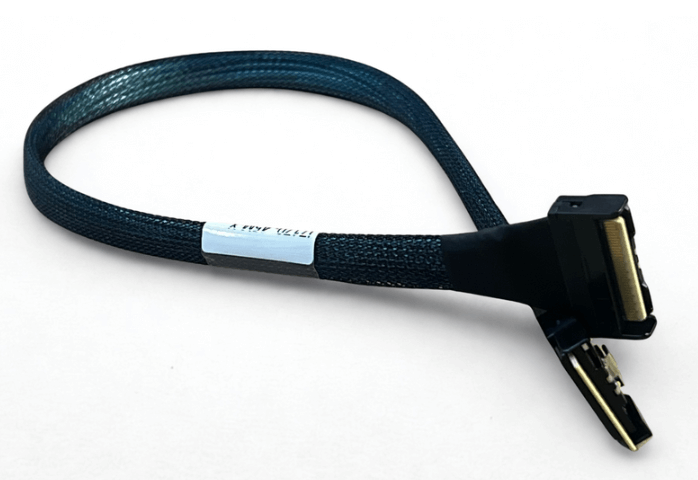
How Long Can MCIO Cables Run Before Signal Loss Becomes A Problem
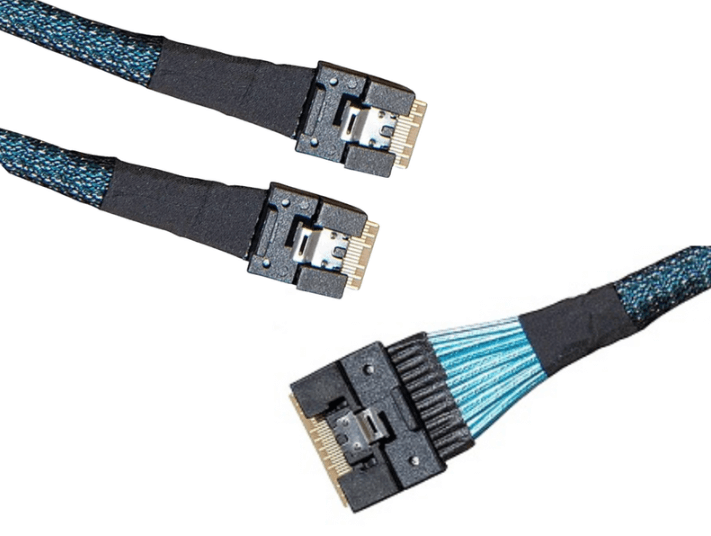
MCIO cables are designed for extremely high bandwidth, high-density interconnects, but their performance is tightly bound to cable length. At PCIe Gen 4 and especially Gen 5 speeds, even small increases in distance can push a link beyond its signal integrity margin. Understanding realistic MCIO cable length limits helps avoid unstable links, retraining events, and costly redesigns.
Why MCIO Cable Length is so Sensitive
MCIO is optimized for dense backplanes and short internal connections. As signaling speeds increase, insertion loss, crosstalk, and reflections increase rapidly with length.
At PCIe Gen 5 speeds, the channel budget is unforgiving. The cable is often the longest continuous element in the path, making it a primary contributor to total loss. This is why MCIO cable length must be considered early in system design, not after routing is complete.
Typical Length Limits for PCIe Gen 4 MCIO
For PCIe Gen 4 at 16 GT per second per lane, passive MCIO cables are generally reliable within the following ranges:
-
25 to 40 cm is considered very safe and commonly used
-
40 to 50 cm works in many systems with good routing and quality cables
-
50 to 75 cm is often the upper practical limit without signal conditioning
Beyond this range, links may still train, but margin becomes highly dependent on cable quality, routing discipline, and platform equalization capability.
PCIe Gen 5 Length Limits are Significantly Shorter
PCIe Gen 5 doubles the data rate to 32 GT per second per lane, which sharply reduces allowable loss.
For passive MCIO cables at Gen 5:
-
Under 30 cm is strongly recommended for reliable operation
-
30 to 40 cm may work with excellent cabling and clean routing
-
Beyond 40 cm usually requires redrivers or retimers
Many Gen 5 failures blamed on firmware or devices are ultimately caused by cables that are only slightly too long for the available margin.
Lane Count and Density Matter
MCIO supports wide links such as x8 and x16, which increases aggregate bandwidth but also raises crosstalk risk.
Higher lane counts mean:
-
More closely packed differential pairs
-
Greater sensitivity to routing symmetry
-
Increased susceptibility to EMI and thermal effects
As lane count increases, practical cable length often decreases. A length that works for x4 may fail for x16 under the same conditions.
SAS Protocols Allow Longer Distances
When MCIO is used for SAS rather than PCIe, length limits are more forgiving.
Typical SAS over MCIO lengths include:
-
Up to 1 meter in well-designed backplane environments
-
Longer runs when shielding and routing are controlled
SAS signaling tolerates more loss and jitter than PCIe Gen 5, which is why SAS applications can often use longer passive MCIO cables successfully.
Environmental Factors that Reduce Usable Length
Real-world environments rarely match lab conditions. Several factors reduce usable cable length:
-
High ambient temperatures
-
Poor airflow causing thermal buildup
-
Routing near power cables or VRMs
-
Tight bends or connector strain
A cable that works on the bench may fail in a production chassis once heat and load increase.
Symptoms of MCIO Cable Length Issues
Length related signal problems rarely appear as clean failures. Common symptoms include:
-
PCIe links training at a lower generation
-
Intermittent device detection
-
CRC errors or retraining events in logs
-
Performance that drops under sustained load
If these symptoms disappear when a shorter cable is installed, length is the root cause.
When to Use Retimers or Active Solutions
If system architecture requires longer distances, passive MCIO cables may not be sufficient.
Options include:
-
Redrivers for moderate compensation
-
Retimers for full signal regeneration
-
Active MCIO cable assemblies
These solutions add cost, power, and complexity, but they are often necessary for Gen 5 designs that exceed passive limits.
Why Conservative Design Pays Off
Designing close to the maximum possible length leaves little margin for variation in temperature, manufacturing tolerance, or aging.
Staying comfortably below theoretical limits:
-
Improves long-term stability
-
Reduces validation effort
-
Simplifies troubleshooting
-
Helps future-proof the platform
In high-speed systems, margin is more valuable than squeezing in extra centimeters.
Practical Design Guidelines
For most systems, these rules hold true:
-
Keep MCIO cables as short as routing allows
-
Target under 40 cm for Gen 4 when possible
-
Target under 30 cm for Gen 5 passive designs
-
Avoid stretching lengths to avoid minor mechanical redesigns
-
Validate under full thermal and load conditions
FAQ (Frequently Asked Questions)
Can MCIO cables exceed these limits and still work?
Sometimes, but stability becomes unpredictable and environment dependent.
Does better cable quality increase maximum length?
Yes, but only within limits. Quality improves margin but does not eliminate physics.
Are active MCIO cables a drop-in fix?
They help extend distance but require power, validation, and compatibility checks.
Why does a system work at Gen 4 but fail at Gen 5 with the same cable?
Gen 5 has far tighter loss and noise budgets, making previously acceptable lengths unstable.